
Product tour
How FMM.Systems carries work from request to record.
This tour is arranged as an operating flow: visibility, email intake, triage, service detail, site context, customer access, and field-ready documentation.
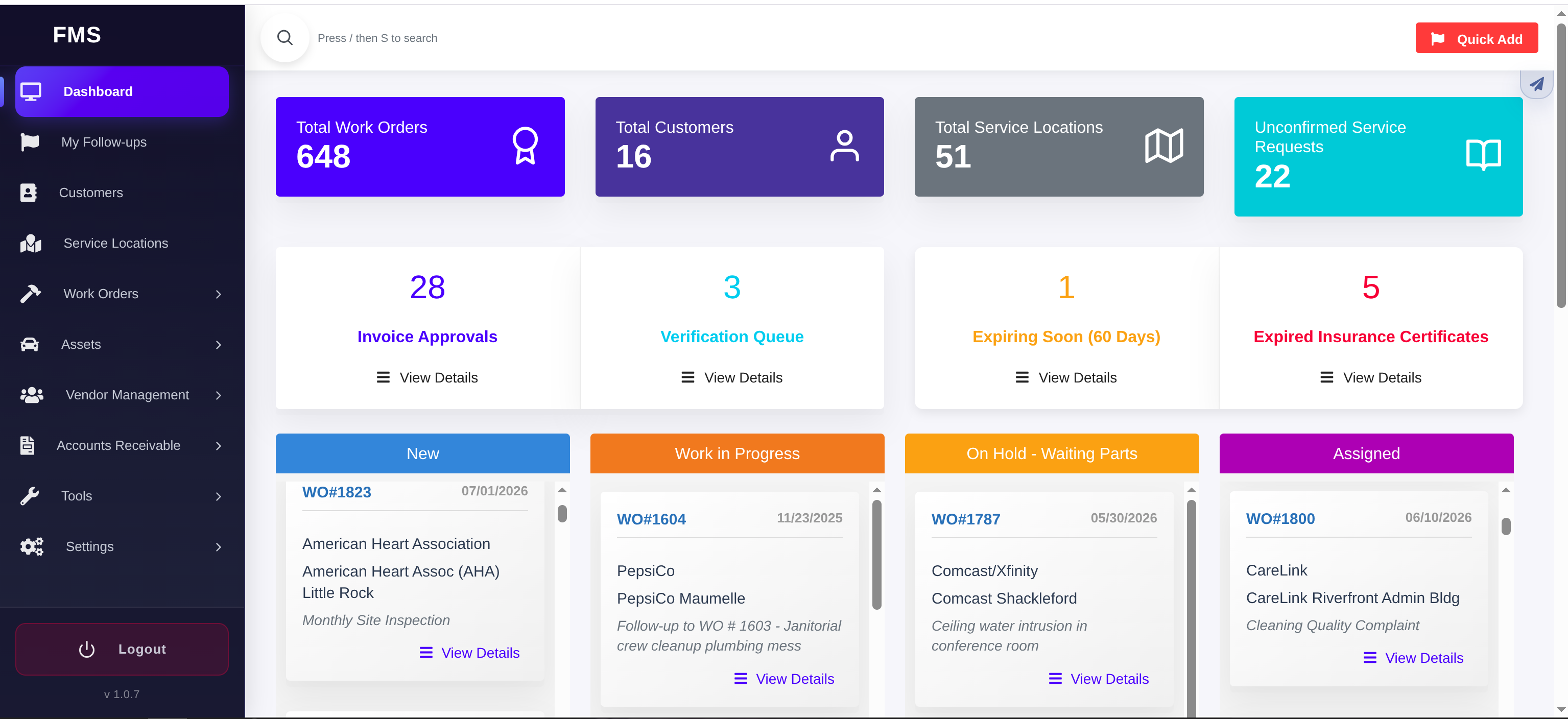
01 / Command center
Start with the operational picture.
The dashboard gives facility teams a fast read on active work, customer and location counts, invoice approvals, verification queues, compliance exceptions, and work grouped by status.
- Work volume and service request queues stay visible.
- Exceptions rise to the top before they slow operations down.
- Teams can move from summary metrics into the underlying work.
02 / Email-to-work-order
Turn an inbound email into a work order automatically.
Staff, tenants, vendors, or clients can email a dedicated address instead of logging in. FMM.Systems reads the message and turns it into an actionable work order without anyone re-typing the request.
Auto-create
A new email creates a new work order automatically — sender, site, and subject or body are parsed in, so the request is dispatch-ready the moment it lands.
Auto-update by reply
A reply to an existing work order thread updates that same record instead of creating a duplicate, keeping the full conversation attached to one piece of work.
Photos and attachments
Photos and files attached to the email are carried onto the work order automatically, so field evidence doesn't get lost in an inbox.
03 / Work order triage
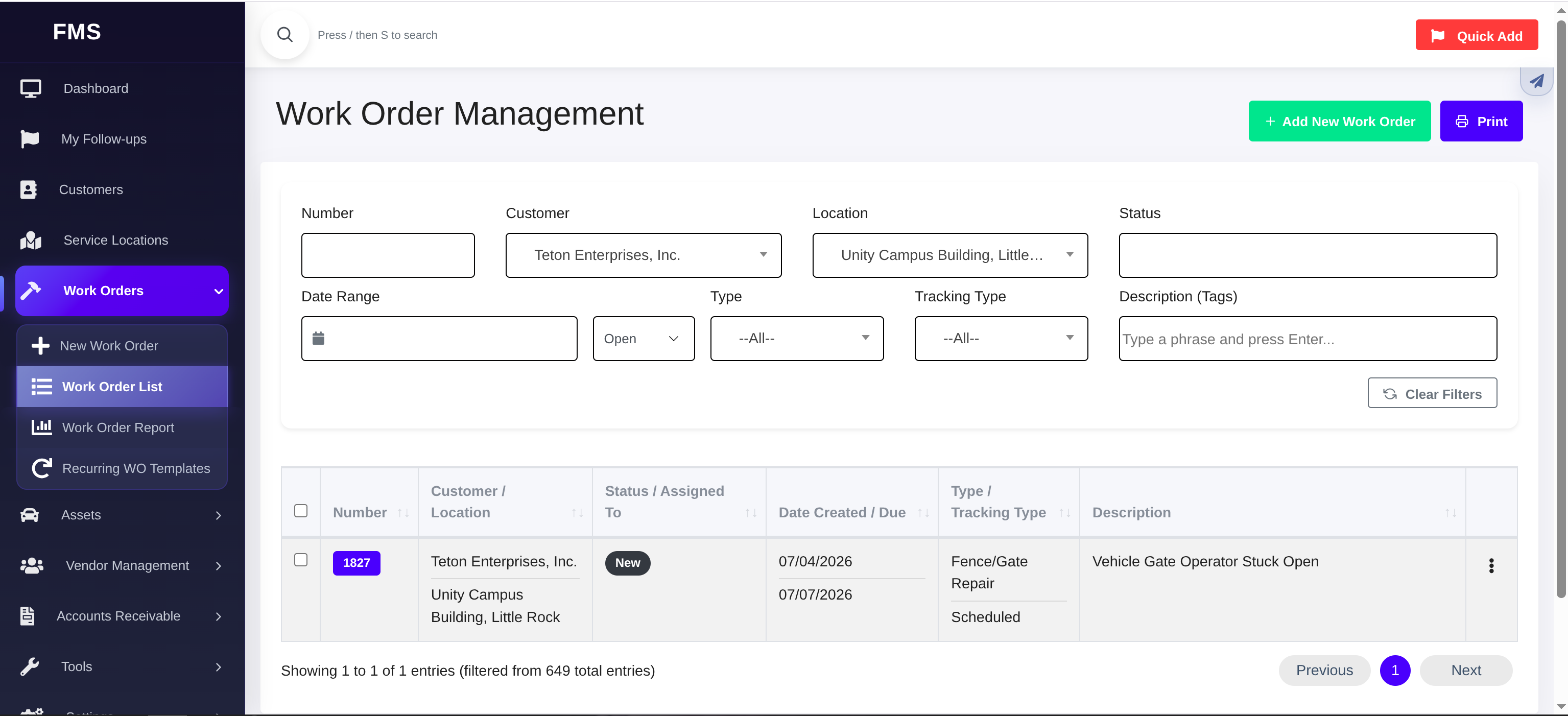
Filter the work list down to the job that needs attention.
The work order list supports operational search across customers, locations, dates, status, work type, tracking type, and description tags.
- Find a specific request without losing the broader work queue.
- Use filtered lists for dispatch, reporting, and follow-up review.
- Move from list context into the detailed service record.
04 / Service record
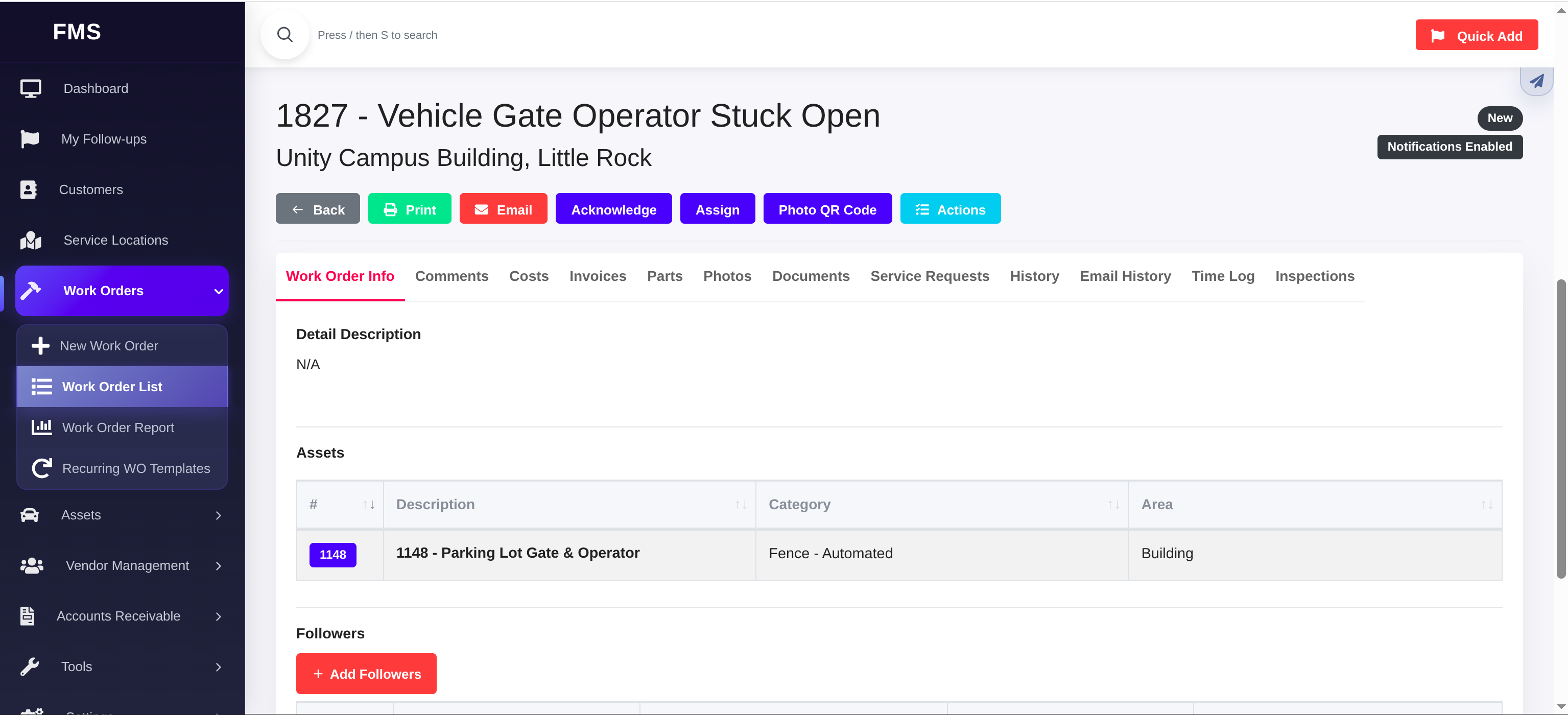
Use one work order record as the source of truth.
The detail screen brings together actions, notification state, comments, costs, invoices, parts, photos, documents, service requests, history, time logs, inspections, and linked assets.
- Action buttons support print, email, assignment, and status movement.
- Record tabs keep related operational evidence organized.
- Asset context stays attached to the work being performed.
05 / Location and asset context
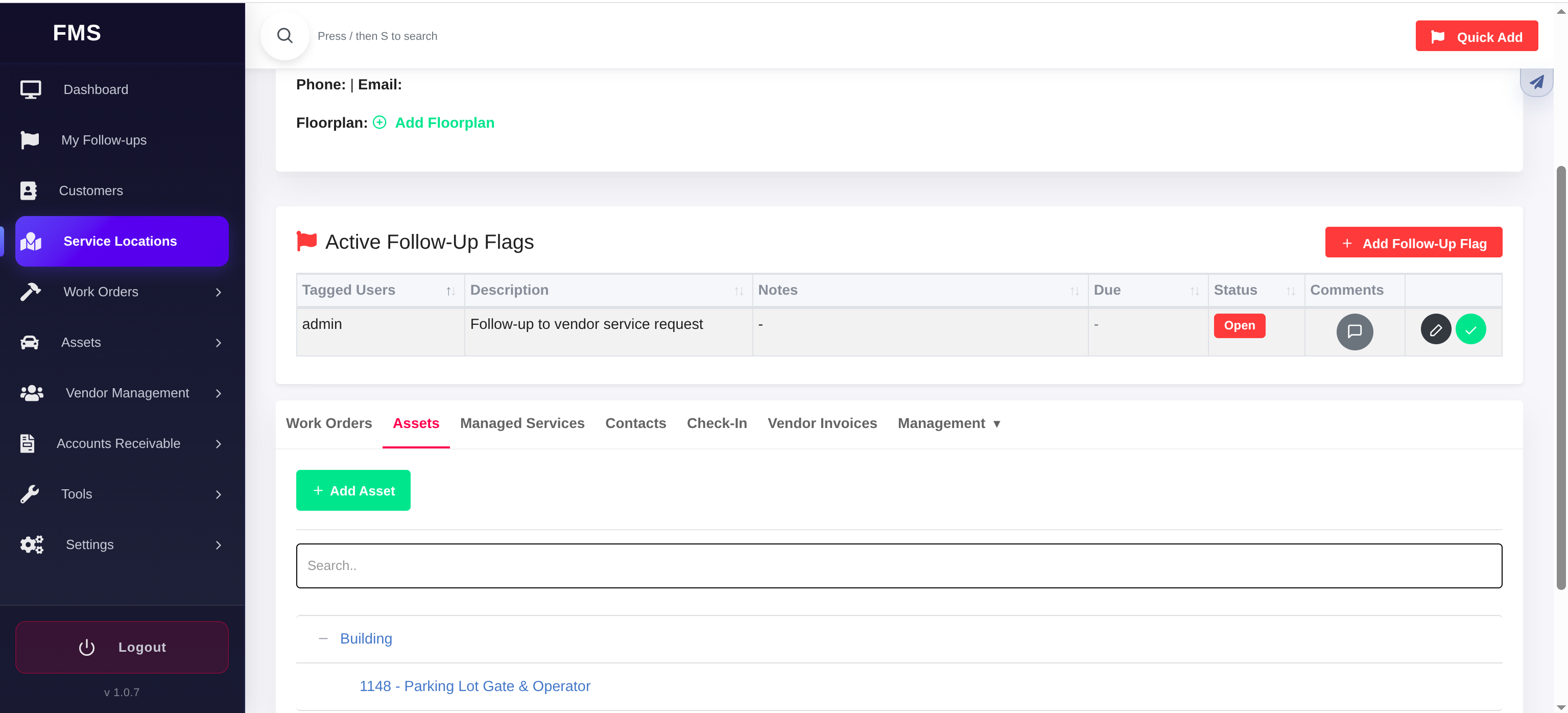
Connect work to the site where it happens.
Service location records can carry follow-up flags, assets, managed services, contacts, check-ins, invoices, and management tools in one place.
- Follow-up flags keep open site issues visible.
- Assets are organized under their service location.
- Tabs preserve the relationships around a site without cluttering the work order itself.
06 / Customer portal
Give customers controlled visibility into their requests.
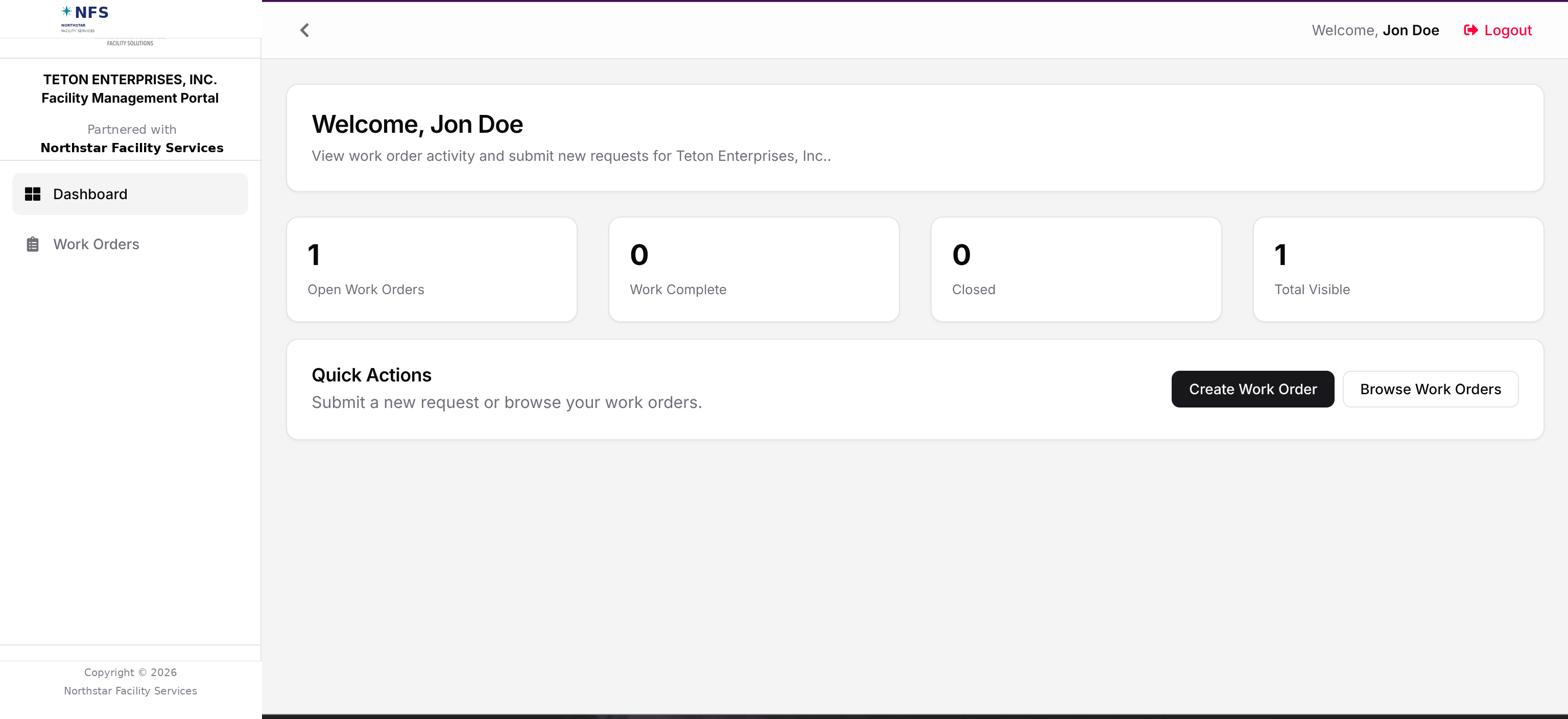
The customer portal gives configured users a focused place to submit requests, browse visible work orders, and understand open activity.
- Portal branding can reflect the customer-facing relationship.
- Users see the work order activity meant for them.
- Request intake and visibility reduce status-chasing.
07 / Field-ready documentation
Support teams and vendors who still need printable work packets.
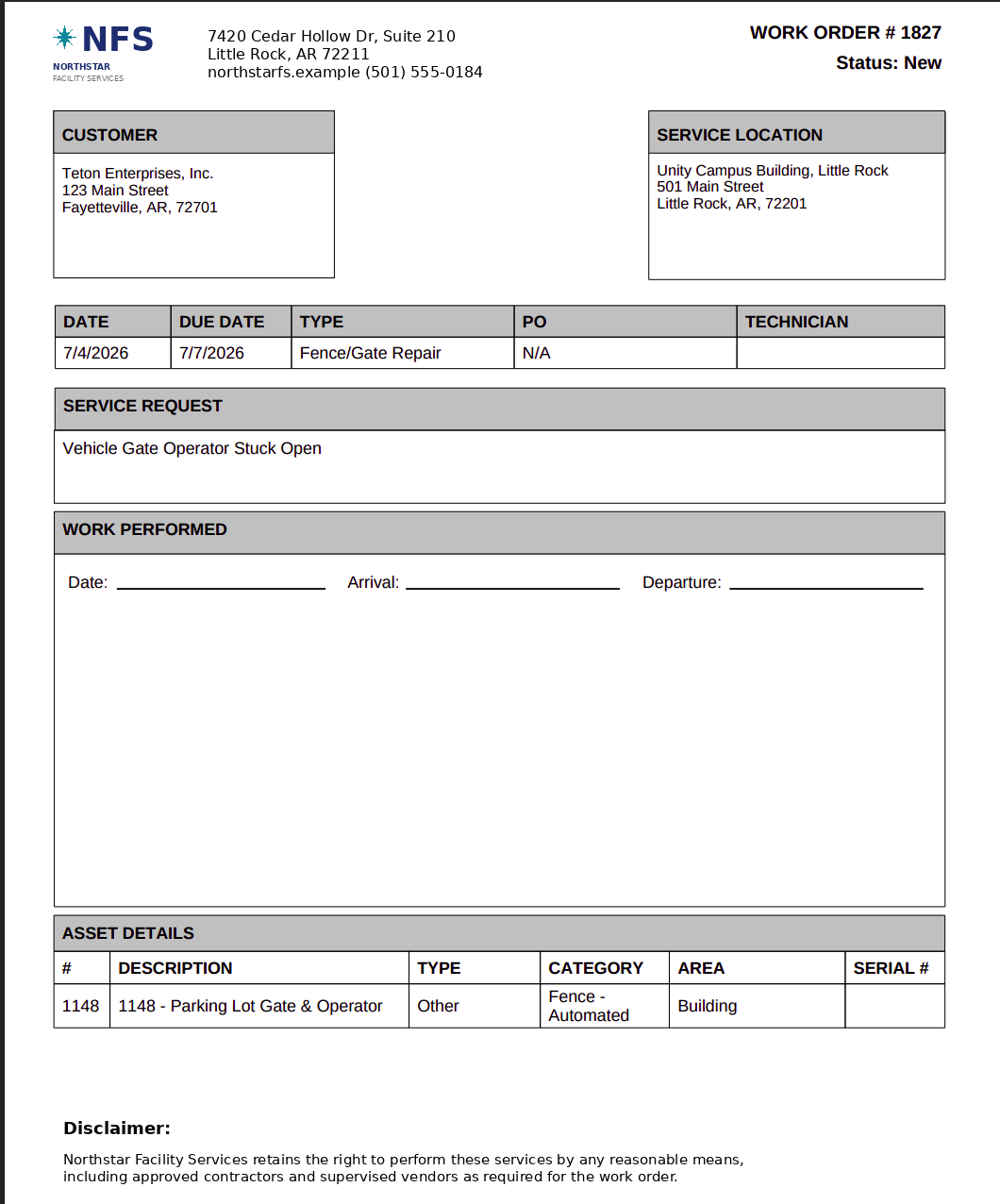
Printable tickets carry the customer, service location, due dates, service request, work performed area, and linked asset details into the field.
- Useful for site visits, vendor packets, and service documentation.
- Digital records and field paperwork stay tied to the same work order.
- Documentation supports the process without replacing accounting or payables tools.
Good to know
A few platform facts worth knowing.
Dedicated database per customer
Each customer runs in a dedicated environment with its own database. Customers don't share a database with each other.
Configured, not self-serve
FMM.Systems isn't a generic package you set up yourself — Teton Forest Technologies configures it around your sites, vendors, and approval paths.
Portals are separate by design
Customer portal access and vendor portal access are separate. Customers see only their own activity; vendors see only the work assigned to them.
Approvals sit alongside your accounting
Invoice approval workflows organize review and context before a decision moves into QuickBooks Online or your existing payables process — FMM.Systems doesn't replace that system.
Configured implementation